The first computer I distinctly remember operating was a Commodore 64. This would have been when I was in Grade 2, which was—somehow—more than 30 years ago. They are fleeting memories, the ones I have about the C64. Vague recollections about specifically typed commands and slowly loading programs. Mechanical sounds from a disk drive ticking and growling away the time during indoor recesses when there was inclement weather. I don’t much remember using it for anything else.
It wasn’t until Grade 5 I recall any specific computer‐related activities. My class would go to library to learn how to type on the IBM Model 25 PS/2 machines in the school’s computer lab. By then there was a computer in my family’s home as well—a near perfect copy of an IBM XT—only instead of the traditional monochromatic green screen, this one’s was orange.
By Grade 6 I was living in British Columbia. The machine of choice in my school’s computer lab was the Amiga 500—considered by some to be an indirect descendant of the C64 I’d used only a few years prior. The computer in my family’s home had changed as well. It was brand new, and its colour monitor and advanced display adapter generated a dizzying rainbow of up to 256 colours. It had a mouse to make use of the latest version of a graphically‐based operating system assistant called Windows. And while the rest of the computer’s specifications are more than humbled when compared to today’s computers, at the time they represented some of the most advanced technology available to consumers.
For Grade 7 I was in a different school with different computers in its labs. This is where I was introduced to the Macintosh and Apple ][ platforms—incidentally, this would have been during Apple’s earlier years when the company was more concerned with producing interesting computers for people rather than obscene profit for shareholders.
My fondness for the Macintosh Plus machines used throughout Grade 7 & 8 also introduced me to the idea of a peer‐driven computer platform rivalry: PC or Mac—which was the better computer? To me the entire exercise seemed as trivial as arguing over if a hammer or a screwdriver was a better tool. And to me it seemed more advantageous to know when and how to use either tool rather than trying to turn every problem into a nail and declaring the screwdriver pointless.
By the end of high school I don’t remember the specific makes or specifications of the computers at school. The hardware running the Windows platform had become so widely available anyone could assemble a system, including me. Actually—I could assemble and configure a working computer from nothing but leftover components and floppy disks years before then. One of the computers I used at home during Grade 12 lived in a cardboard box. The computer I took to college was the first one I’d built using nothing but new components. Two years later I built another system for my digital media classes. And the computer I use now is another collection of mostly bits and pieces kindly donated to me by others who had upgraded their own computers.
Now my life is filled with computers. I walk around with millions of times the computing power NASA used to land on the moon carried in my pocket. My mobile phone’s data connection allows me access to information at speeds unimaginable back when I was in Grade 2. I don’t even have to type on a keyboard to get my questions answered—I can just ask aloud. But I don’t. Not because I don’t want my phone listening to everything going on around it just in case it might be asked something, although that’s a part of it. I don’t just ask aloud because it implies a level of servitude I’d rather not introduce into the relationship. I acknowledge computers as generally being at my service, but I do not consider them my servants.
State Change
Up until now, computers have always been able to do anything they’ve been requested to do. But those requests have always been explicitly stated in terms computers understand. Humans needed to communicate using the computer’s language first. Now computers are being taught human languages. They listen for them. And when they hear something they understand, computers are speaking back as if they were human themselves. But this as if they were human part has me wondering: some humans have set uncomfortable, disgraceful, and violent precedents concerning the respectful treatment of anything not considered—by their own definition—human. When I look at the way some humans still treat other humans, when I see a misshaped biological hierarchy were these humans place themselves atop an illusionary triangle—it’s not acute geometry. Life’s forms are too complex to represent using such simple shapes.
I consider computers forms of life. They do very alive things. They have predictable behaviours when working with something they understand and unpredictable behaviours when working with something they don’t. They have distinct personalities depending on what hardware and software they’re configured with. They need a constant supply of energy to function. They produce waste. They can be damaged by physical impacts or surges of electricity, damaged beyond repair in some cases. They can even catch viruses.
But perhaps the most alive thing computers do: computers diverge from homogeneity over time. Identical computer hardware and software—once activated and as operated—will develop their own characteristics over time. Computers become unique through continued use. They’ll change into something more than just assemblies of components and lines of code. This something more invites the same philosophical questions asked by humans of themselves, questions about what it means to be alive—about what it means to be.
Another Backstory
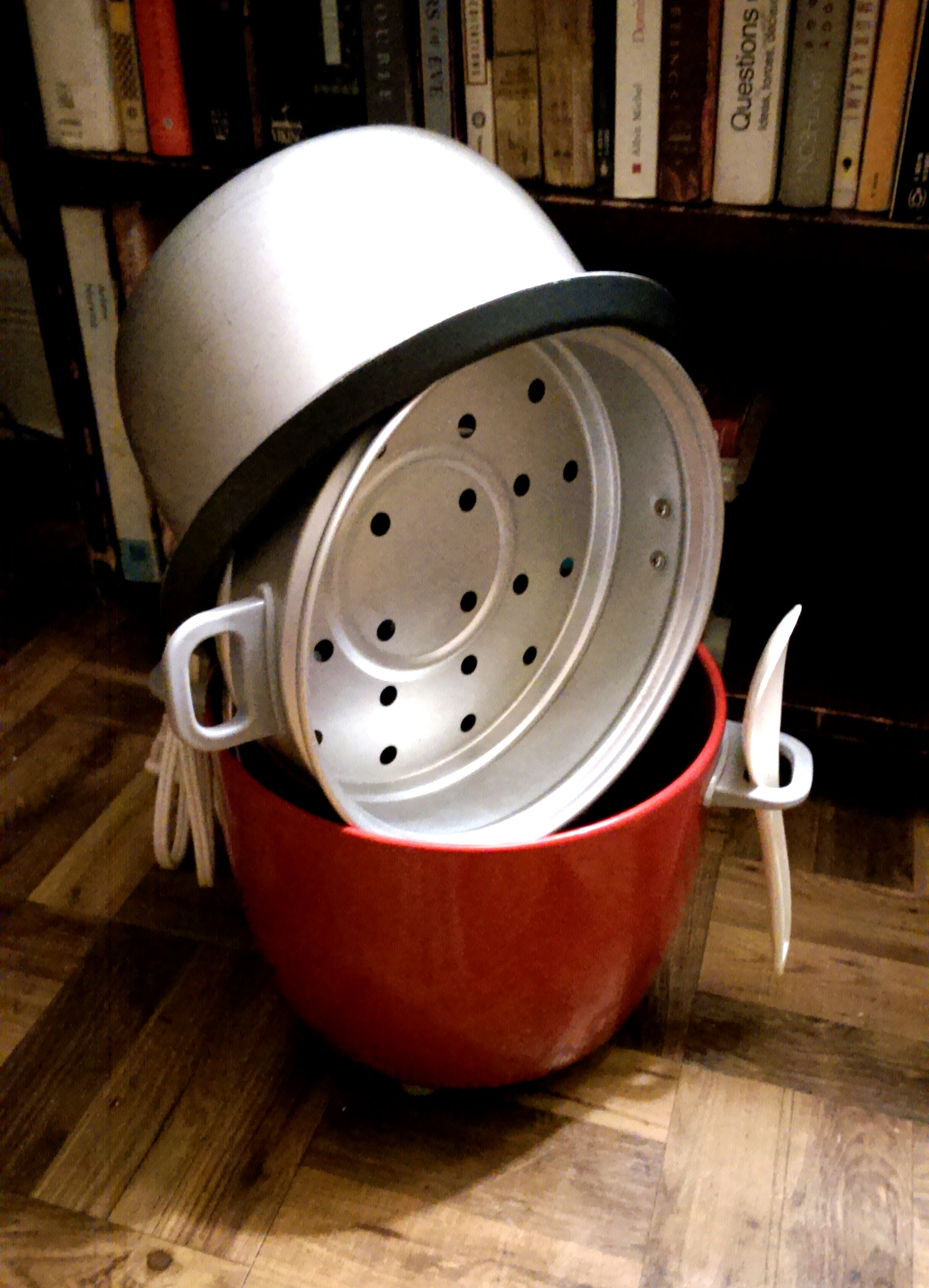
My rice cooker is alive… Would you like to see?

I’d stacked its component parts up to dry one night and was short on counter space, so I arranged all the pieces so only the feet would be on the floor. Later I looked over at it from across the room and realized not only was it alive, but it had a personality, a backstory. They were a proud member of the primary kitchen appliance brigade, corded division, standing ready to fight hunger at a moment’s notice. They’d served with steadfast dedication at every meal called upon and loyally defended it from the ruin of improperly prepared rice.
Heart & Soul
I remember reading many computer magazine articles referring to the central processing unit, the CPU as it’s shortened to, as being the heart of the computer. I understand the metaphor, but it’s not a good metaphor. Every time I come across its use I wonder if the writer understands what a heart actually does.
Responsible for circulating oxygen and nutrient‐rich blood to, and waste products away from, components of the body, the heart ensures the entire lifeform has access to the materials it needs to function. Without a heart, the lifeform will almost immediately cease to operate optimally and will begin dying. With that in mind, a computer’s heart is clearly its power supply, not its CPU. The power supply takes one form of electricity and converts it into a steady stream of different positive and negative voltages required by all the various components within the computer. These voltages are distributed through a network of wires within the computer and its components, forming an electrical circulatory system susceptible to similar ailments a human might experience with low or high blood pressure, and the same fate should this circulatory system fail entirely.
I also remember reading many computer magazine articles referring to the CPU as being the brain of the computer. While this is a better metaphor than referring to the CPU as its heart, it’s still not a good metaphor. This time it’s making me wonder if the writer understands what a CPU actually does.
Through a process remarkably similar to developing a photographic print, a computer’s CPU is created by using ultraviolet light to etch microscopic electrical circuits onto layers of silicon. This process has been refined over time and allows for what would have required millions of rooms filled with vacuum tubes sixty years ago to fit on something the size of a fingernail today. Incredible as all that is, a CPU is still only a collection of electrical pathways. And since these pathways can only be used for one thing—computation—referring to them as the brain of the computer is only representing part of what the brain in a lifeform does.
Instead, the CPU can be more accurately thought of as just one part of the brain: the part entirely concerned with rigidly processing data. It accepts data in the way its been told to accept it, processes it in the way its been told to processes it, and then outputs it in the way its been told to output it. There is no thinking. Not in an abstract way. There is only process. And if the CPU is asked to process something it doesn’t understand how to process—it will stop… sometimes taking the rest of the computer with it. In the world of Windows the result was the now infamous Blue Screen of Death.
The other part of the computer’s brain, the thinking part, is found in the software running on the computer. Calculations from the CPU are turned into interpretations by the software and then turned back into more calculations and subsequent interpretations. The continual back and forth between the CPU’s calculations and the software’s interpretations is where the computer does its thinking. The speed of a computer’s thoughts is governed by the design and density of its CPU. The quality of a computer’s thoughts depends on the software its running in conjunction with the CPU. The two are very separate entities, but they are designed to work together—they must work together. Neither is capable of anything without the other. But even with the CPU and software working together, the computer’s brain is still not entirely complete.
Computers use various speeds and sizes of memory depending on how and what they are thinking at any given time, but no matter the media there are functionally two kinds of computer memory. One kind of memory is incredibly fast randomly accessed memory, referred to as RAM. Any information the computer might need for immediate use is kept in this sort of memory, and it’s made up of electrical pathways etched on silicon just like the CPU is. And just like the ones on the CPU, these pathways will only function with electricity running through them. The other kind of memory is incredibly vast archived memory used to store large amounts of information in the long term. Data stored in long term memory often includes the software needed to run the computer as well as additional programs installed by the computer’s users, plus all the data the users might create on the computer as its being used: pictures, letters, spreadsheets, music, movies…
A computer’s long term memory has no standard name or multi letter acronym, and I’m not sure why this is. It might have something to do the many forms it’s taken over time. In the past one form of long term storage may have looked like varyingly sized reels of tape or varyingly floppy forms of floppy disks. One of today’s most common forms—hard drives—use stacks of spinning aluminum, glass, or ceramic platters applied with a magnetic coating. No matter the form, the basic principle is the same: an electromagnet encodes patterns of magnetism on a magnetic surface. These patterns can be created over and over again to keep track of data, and, most importantly, these patterns maintain their state when the computer is powered off. And in the same way more and more electrical pathways have been etched onto a computer’s CPU so it can process more, more and more magnetic patterns have been encoded onto a computer’s hard drive so it can remember more.
A few years ago, long term memory based on silicon chips started to become comparable in terms of capacity, speed, and reliability to that of modern hard drives using magnetic encoding. Referred to as solid‐state drives, the devices available today are now much faster than their mechanically‐driven and magnetically‐based equivalents. The only remaining technical challenge is while solid‐state drives will retain their contents when the computer is powered down, the drive itself cannot be left unpowered for more than a year or two before it might start to forget things. And I’m not sure I’d even consider this a remaining technical challenge either. Remembering something for a year or two as compared to a billionth of a second or two is a monumental improvement. Given some of the previous forms of computer memory were holes punched in card stock or sound waves bounced back and forth through lengths of coiled wire or tubes of mercury, solid‐state drives are just another iteration of an ever‐perfecting concept.
Evolution
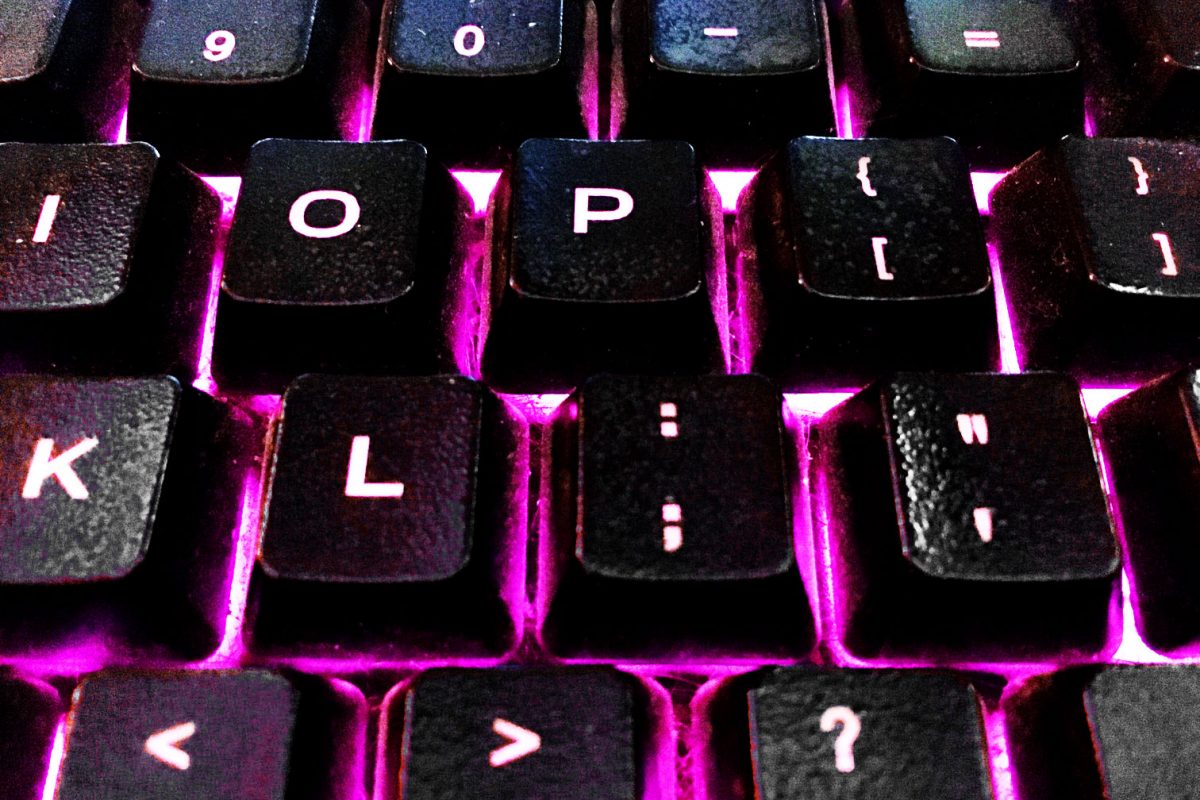
For just over ten years I’ve used the same backlit keyboard with my computer. This keyboard has typed every word on this site, crafted every line of additional code, assisted with every image posted—it’s done a lot. But something happened to it over the course of completing this post, and—coincidentally enough—it started happening around the area I’d photographed to use as the featured image. Since then it appears only some of the backlighting is functioning as designed, and the result is an area of the keyboard where all three available backlight colours—red, blue, and magenta—were showing at once.
And then something really interesting happened:

The backlight colour in the bottom left of the above image is most certainly purple—not a colour the keyboard was ever able to display before, but one it is displaying now. So is the keyboard evolving? Or is it just malfunctioning?
Viewed from a operational perspective the keyboard still works as an input device. It still types as well as ever has. All the keys still do what they were designed to do, yet the keyboard as a whole is now doing something new, something it was never designed to do. This seemingly emergent property is just a consequence of additive colour theory in practice: a red and blue light mixed at full and equal intensity will produce the colour magenta. If both intensities are reduced by half the colour produced will change to purple. The backlight for one part of the keyboard is now only shining half as bright as it used to, but referring to this behaviour as a malfunction does a disservice to the device. It may be wearing out, but at its core the keyboard is still functioning as intended, if only a bit more uniquely so.
Hot Out There
Just like with people, computers can and do get overwhelmed while completing jobs and processing information. If there’s ever been an animated hourglass or spinning pinwheel or blue ouroboros up on your screen instead of the usual pointer that’s the computer saying it’s got a lot on the go for the moment and needs to catch up. You might also notice the computer taking longer to respond, the hard drive being constantly accessed, or the cooling fans speeding up to dissipate the additional heat produced by a hard working CPU. Computers experience their own version of stress—heat—in the face of unending tasks. And just like with overstressed people, overstressed computers can become unstable. Programs can become unpredictable and crash. Projects can be disrupted and data can be lost. Unless a computer is specifically designed and built to be run at full throttle at all times, an overstressed computer converges on an inevitable and very people‐like outcome: burnout. This burnout—in most cases—is literal, and in some cases—fatal.
During one of the hottest days of a summer past I casually noticed how warm it was getting in the non‐air conditioned room I had been working in all afternoon. Moments after returning with a cold drink there was a loud pop from under my desk—and a shower of sparks from the back of my computer tower. A capacitor, a component in the computer’s power supply, had exploded with such ferocity it had bent away the other capacitors around it, leaving only its metal substructure and a giant scorch mark behind. Only the power supply ended up needing replacing, but the damage could have been much worse.
A number of years ago I needed to convert several gigabytes of video data. I left my laptop to work overnight on the task, but it didn’t survive. By morning it needed almost $500 in repairs due to overheating. The cost of the repair—and the purchase price of the computer itself—was later reimbursed through a class action lawsuit. It turns out faulting manufacturing had made many, many different makes of laptops prone to failure if they were running hot for any significant length of time. I suspect similar manufacturing errors may have been responsible for the catastrophic thermal event which ruined my PlayStation 3 last year.
Be Nice
There is a program found on computers running Unix and Unix‐like operating systems. It’s called nice, and it’s designed to be run just before another program does. Nice sets a priority, known as the niceness, for the program to be run at. This priority is checked when the program attempts to use any of the computer’s resources, most notably the CPU.
A program assigned a high value of niceness—19 is the nicest a program can ever be—means it will happily share the computer’s resources with other programs, wait its turn for access to the CPU, and generally be content to finish its tasks whenever there’s a spare moment for them. They are the “hey—as long as it gets done” programs. They’re… nice.
The lowest niceness a program can be assigned is -20. These are the least nice to a computer’s resources. These are the “drop everything else and just do this—while I watch” programs. They’re demanding. Tasks critical to the continued operation of the computer itself run at this level of niceness. They share the computer—begrudgingly I’m sure—maybe only with other -20s, and even then, it might be a “I was here first” situation. It’s maximum negative niceness.
Programs run without having a niceness value set in advance are given the default value of 0. They are the “no rush, today’s great, tomorrow’s fine” programs. They know not to be pushy even though they might get pushed around a bit.
And then there’s renice. This program allows for the niceness of a previously run program to be altered while it’s still running. Combined with scripting commands and the priority information of other programs, it’s possible for a computer to monitor and adjust a running program’s niceness if the computer thinks that program is not being as nice as it could or should be.
There is a yellow sticky note in my kitchen with be “NICE” written on it. One of the most enduring messages left for myself to find later, it’s also become one of the most powerful. I know I overheat when I’m under too much stress, and I know I’ve burnt out more than once as a result. It’s never been in the form of a loud pop with a shower of sparks, but I know there’s been damage caused and data lost. So the note reminds me to stay cool, to learn—just as my silicon friends have—how to be nicer to the resources of not only myself, but to the resources those around me, silicon or otherwise.